Is there a way to visualize in a Listing Page what records are LOCKED ?
Hi Claudio,
Thanks for reaching out!
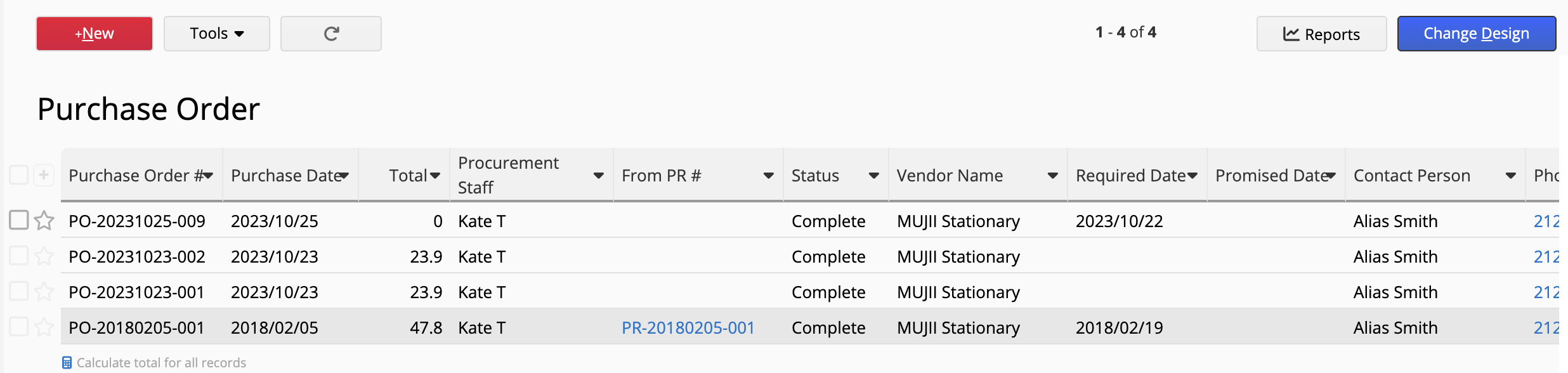
By default, Ragic distinguishes locked records on the Listing Page by applying a grayed-out background color. For example, in the screenshot below, the final Purchase Order is locked and appears grayed out compared to the active records:
Is this not appearing as expected?
If your locked records do not automatically appear grayed out, or if you were looking for a different way to visualize them, please let us know.
If you believe the grayed-out feature isn’t triggering correctly on your sheet, feel free to email support@ragic.com with the following details so we can take a closer look:
- The URL of the locked record in question.
- A screenshot of how that record currently appears on your Listing Page.
- A brief mention that the expected grayed-out formatting is missing.
Best regards,
Kate | Ragic Support
1 Like
Dear Kate, thank you for your prompt reply.
The automatic grayed out does not appear in our case because the fields in the listing pages are Read Only, which are already grayed. Our users do not update records in the listing pages.
We were looking for a way to identify what records that should be have been locked still need action.
Hi Claudio,
Thank you for clarifying. Since your fields are already Read Only, I understand why the default graying out doesn’t provide the visual contrast you need.
To help your users quickly identify records that still require action or locking, I recommend these two approaches:
Method 1: To see them at a glance (Visual)
While Ragic doesn’t currently support “Lock Status” as a direct trigger for Conditional Formatting, you can use an existing attribute (like a “Status” or “Stage” field) to flag records.
By applying a bright background color via Conditional Formatting, you can overwrite the default gray background of your read-only/locked fields, making them stand out immediately on the listing page.
Method 2: To manage the workflow (Filtering)
You can use the system field “Record Lock Status” to filter your list.
-
Go to the left sidebar search tool.
-
Find the “Record Lock Status” field.
-
Filter for records that are “Not Locked” to see everything that still needs attention.
-
Save this as a Shared View titled “Needs Action” or “Pending Lock.”
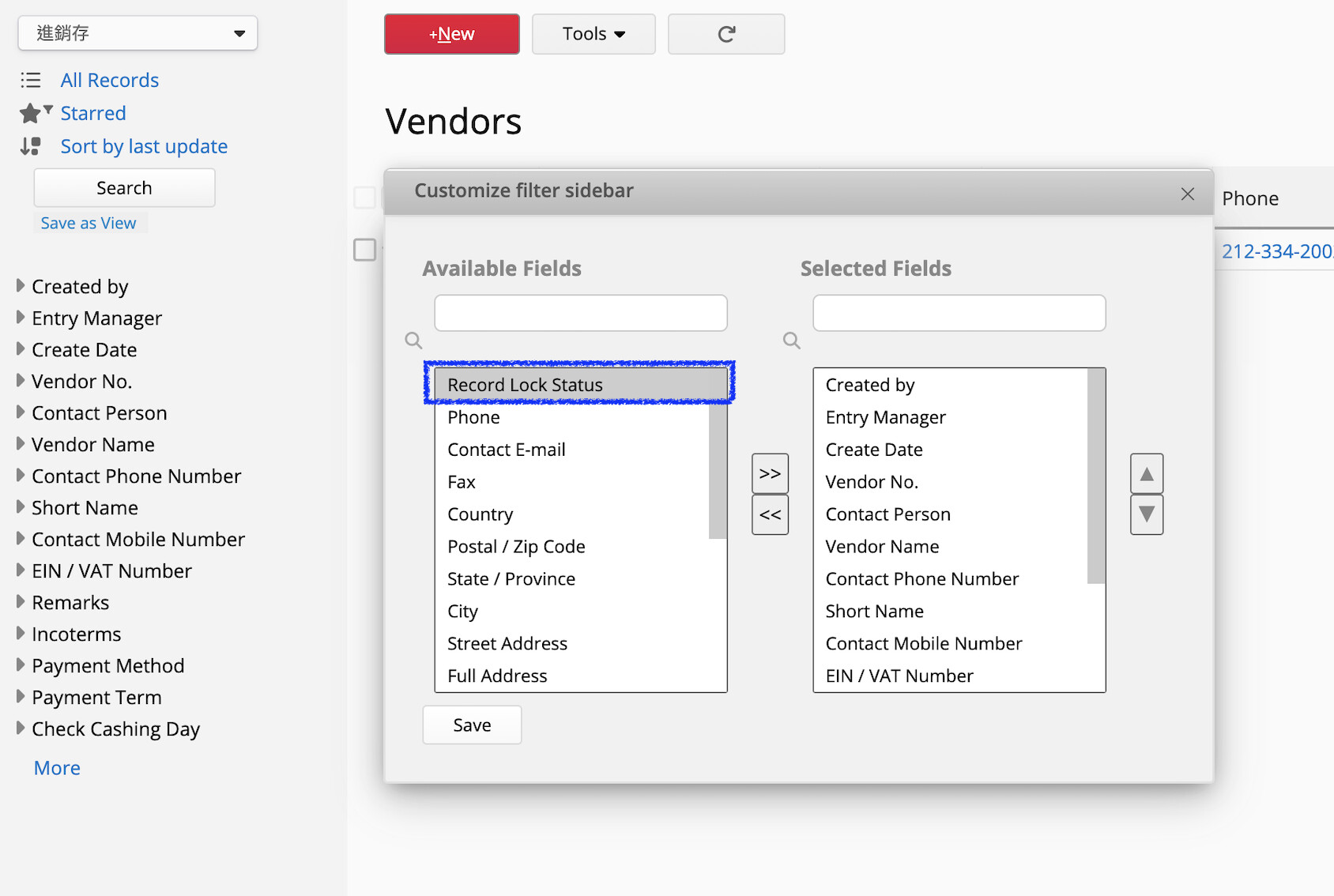
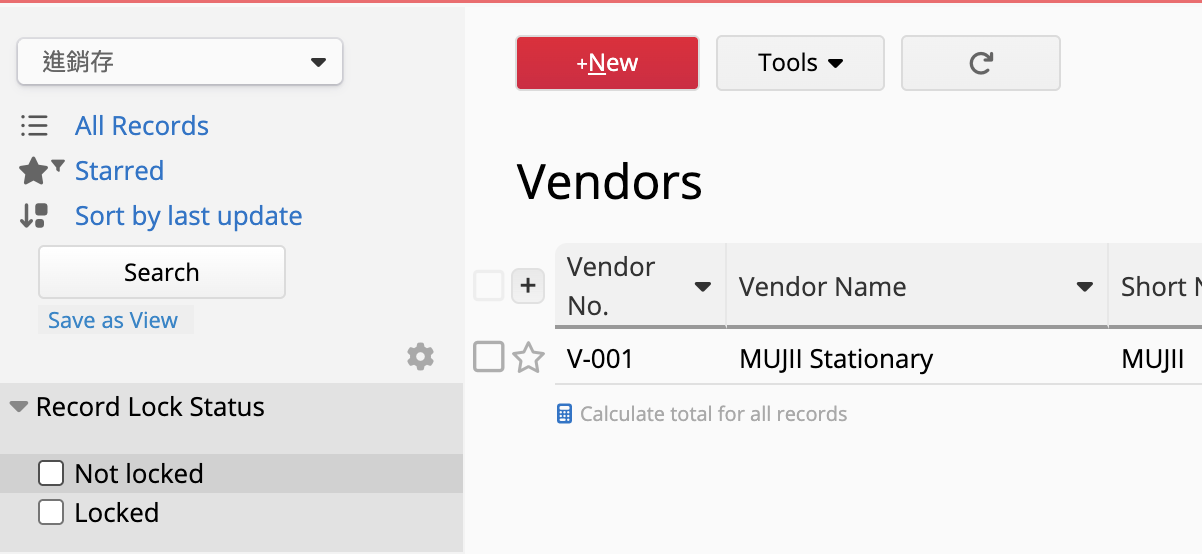
This allows your users to toggle to a clean list of only the records that haven’t been finalized yet.
Thank you for your suggestion.
Method 2 works fine.
Merry Christmas to you all.
2 Likes