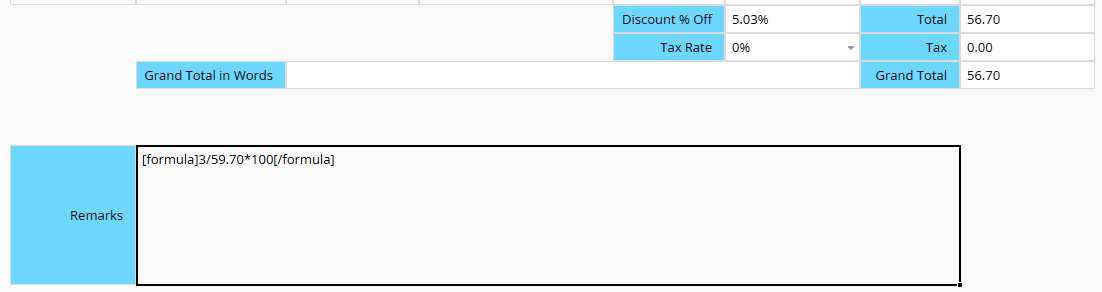
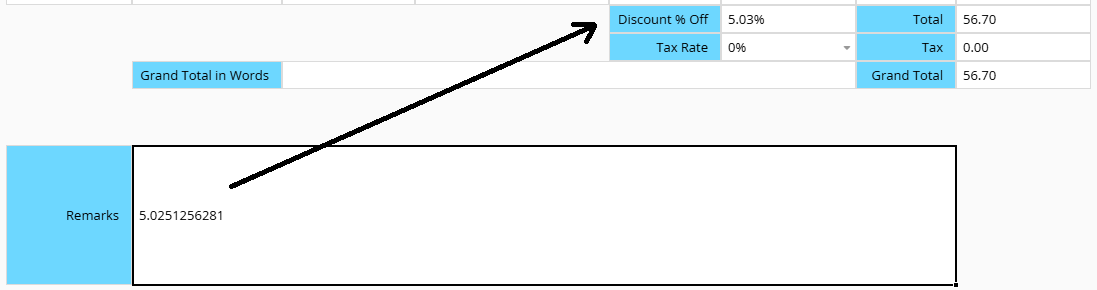
Using calculation formulas in number fields (=59/72100) and BBCode ([formula]59/72100[/formula]) in text fields is incredibly convenient, but this is not applicable to percentage fields. To do this, I am using the BBCode in a text field, and write the result in the percentage field. In some rush times, the formulas were left in the text fields.
I think one solution is to use the formula BBCode in the comments, which don’t show up on fields. I hope this would be even more convenient for us.
Thanks for the feedback and screenshots! Here’s our understanding of your request: number fields let you type a calculation directly while entering data (for example, =59/72*100), and the field saves the result. You’d like percentage fields to work the same way. For now, you calculate the value in a text field with the formula BBCode, then copy the result into the percentage field by hand. That leaves the formula behind in the text field when things get busy.
For anyone else reading, inline calculation in number fields is covered here.
We’re looking into whether percentage fields can support this too, and we’ll keep you posted here!
Good news: we’ve confirmed that percentage fields can support inline calculation, just like number fields do today. Once this is available, you’ll be able to type a calculation such as =3/59.7 directly into a percentage field, and it will save the result as 5.03%, with no need to multiply by 100.
We’ve passed this on to our development team, and we’ll update this thread once it’s released. Thanks again for the suggestion!
Percentage fields now support inline calculation, just like number fields. Type a calculation starting with “=” directly into the field, and it will save the result. For example, =3/59.7 gives 5.03%, with no need to multiply by 100.
You can read more about inline calculation here. Thanks again for the suggestion, and let us know if you have any questions!