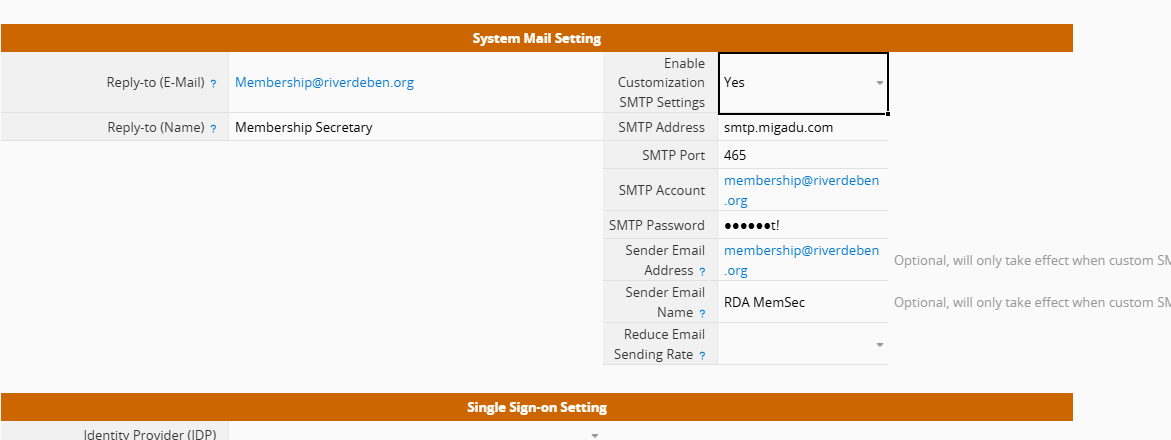
The outgoing server requires authentication, so have provided username and password.
After saving settings I try to send an email but nothing received.
Any clues as to what I’m doing wrong?
Thanks
Could you share how the email in your screenshot was sent? In addition to the Sender Email Address in Company Settings, the specific email function used can also affect how the sender address is displayed.
To help us look into this more accurately, it would be great if you could email us at support@ragic.com with:
The email function you used
The URL of the record that triggered the email
The time the email was sent
We’ll be happy to check the configuration and see what’s going on.
To answer your questions
I filtered the list down to one entry in sheet dummymem and then did a mass email.
The URL of the record is Ragic Log In
or it’s Ragic Log In
the time the email was sent was 1800 (ish) BST yesterday 3rd September.
Thank you for sharing the details. From our review, it looks like the SMTP settings were updated on 9/3 at 17:04 BST. Since then, we’ve only recorded one email attempt (on 9/3 at 17:07 BST), which failed due to a connection error with your SMTP host. We recommend double-checking your SMTP configuration and trying again.
Regarding the email shown in your screenshot — that message was sent before the SMTP settings were updated, which is why the sender still appears as notification@mg.ragic.com.
If you’d like us to help troubleshoot the error in more detail, please reach out to us at support@ragic.com. We’ll be able to assist you further there, as SMTP details may contain sensitive information.