I have not tested this as yet for myself, and was wandering…,
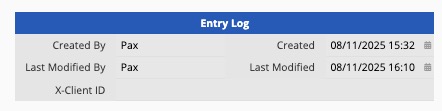
"Does the system field Last Update Date always have a value? In other words, if a record was never opened after being initially created, would the Last Update Date field have a value anyway, such that it would be the same as the value in the Create Date field?
The last update date should always have a value. If the record is not edited after being created, the last update date will be the same as the create date.
If the record is created via a subtable on a parent sheet, then there is no Create Date or Last Update. Only when a user physically makes a change from the sheet itself will the creation and last update fields register a value. I always found this very strange. Is there a way to force a record created this way to auto register a create date?
Let’s say you have two sheets: a main sheet and a sheet created from the subtable on the main sheet, and both sheets have the created date field and the last modified date field.
Situation 1: Both sheets have different created date field IDs and last modified date field IDs.
In this case, this means the fields are not in sync across the two sheets. If you create or modify entries in the main sheet, the system will only automatically generate the date values on the main sheet. The created date field and the last modified date field will still be empty in this case.
Situation 2: Both sheets have the same created date field IDs and last modified date field IDs.
This means the created date and last modified date field was created on one of the sheets, and added to the other sheet using link fields from parent sheets or adding fields to the subtable of the main sheet. In this case, the fields on both sheets will be in sync. Therefore, when creating or modifying entries on one sheet, the system will generate the respective date values on the created or last modified date fields, and these values will be in effect on both sheets.