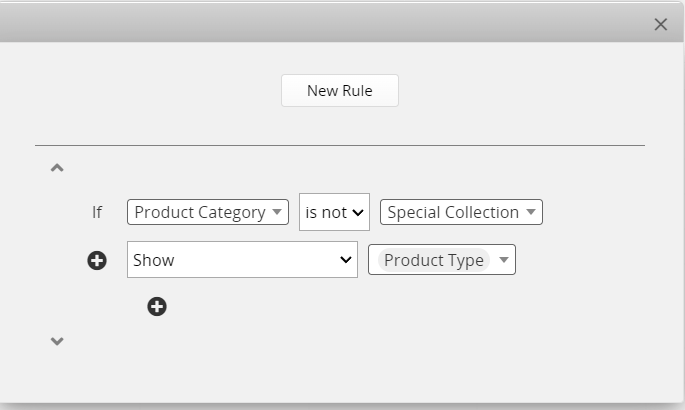
Is there a way to lock a record so that it won’t open until a condition is met? Meaning, it will show up on the Listing page, but not expand into the Form page.
I don’t want product pages to be available to an external user (client) for viewing until we have finished inputing all the details, setting the sale price, and being approved. Once everything is ready, we “publish” the record and only then it becomes available for the client to open and check in detail.
Yes, you can set up conditional formatting specifically on the form page. Conditional formatting can be configured independently for the listing page and the form page, so if you only apply it at the form level, it will not affect how the fields are displayed on the listing page.
Feel free to let us know if there’s any further questions!
Or you can create a Multiple Version for your internal reference only. Update the “Publish” condition on your internal version when ready. The record would then be made visible on the form level on the external version.
Restrict Button Access
If choosing to use the action button, limit the button to internal user groups only.